The desk, the clocks, and an honest history.
Tickets are the atom of an MSP. Tantivo models them properly — typed, queued, SLA-bound and attributable — so the board you look at every morning is telling you the truth.
- Requests, incidents, problems, changes
- Per-tier SLA clocks
- Email + SMS + portal intake
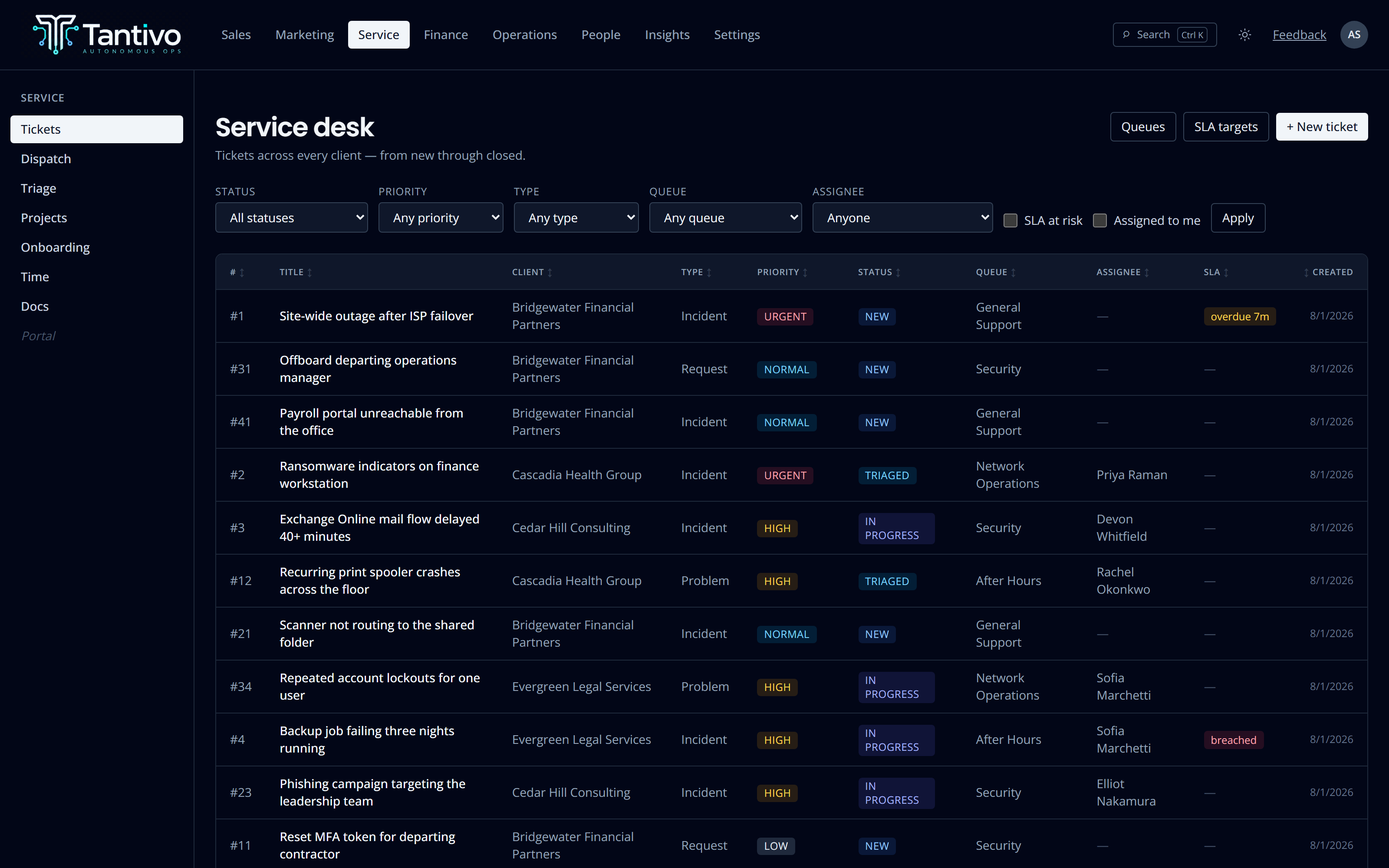
Every ticket, every client, one list.
Filter by status, priority, type, queue or assignee. Sort by any column. The default view is everything across every client, newest first — because the first question in the morning is never “how is one account doing”, it is “what is on fire”.
Tickets are discriminated by type — request, incident, problem or change — rather than being one undifferentiated blob with a category dropdown. A problem behaves differently from a change, and the data model says so.
- Lifecycle: new → triaged → in progress → waiting → resolved → closed
- Human-readable ticket numbers alongside stable internal ids
- Queues for general support, network, security and after-hours
- Optional default assignee per queue
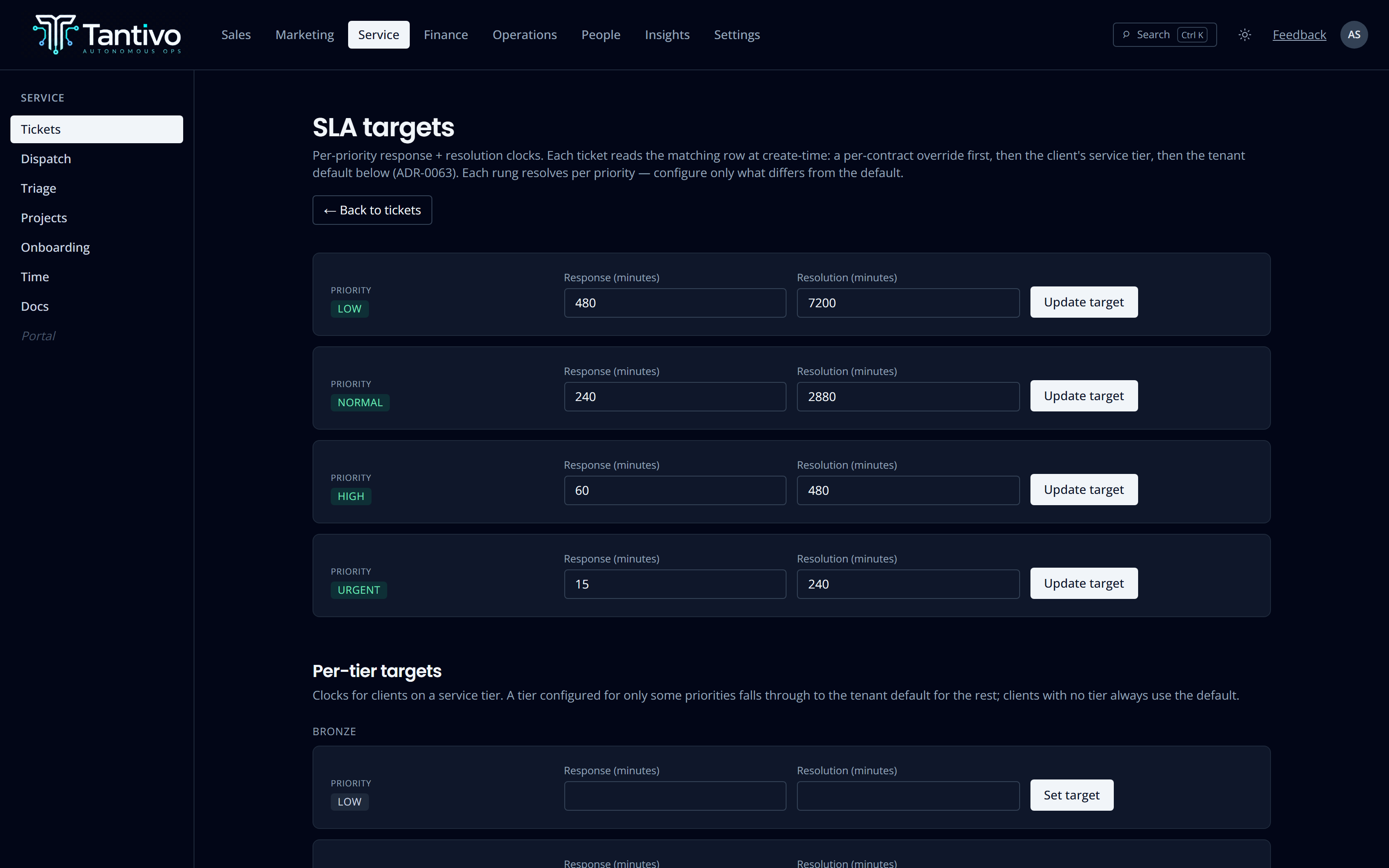
Clocks that resolve the way your contracts actually read.
Set a response and resolution target per priority. Then override per service tier, and override again per contract when a specific client negotiated something different. Tantivo resolves the most specific rung that applies — contract, then the client’s tier, then your tenant default — independently for each priority.
The clocks are stamped when the ticket is created and are channel-independent: a ticket a client raises in the portal gets exactly the same tier clocks as one your technician opens. Raising a priority recomputes forward only — something already breached does not quietly un-breach.
- Response and resolution targets set per priority
- Per-service-tier and per-contract overrides
- Breaches recorded on the ticket, not derived and forgotten
- A tier change affects tickets created afterwards only
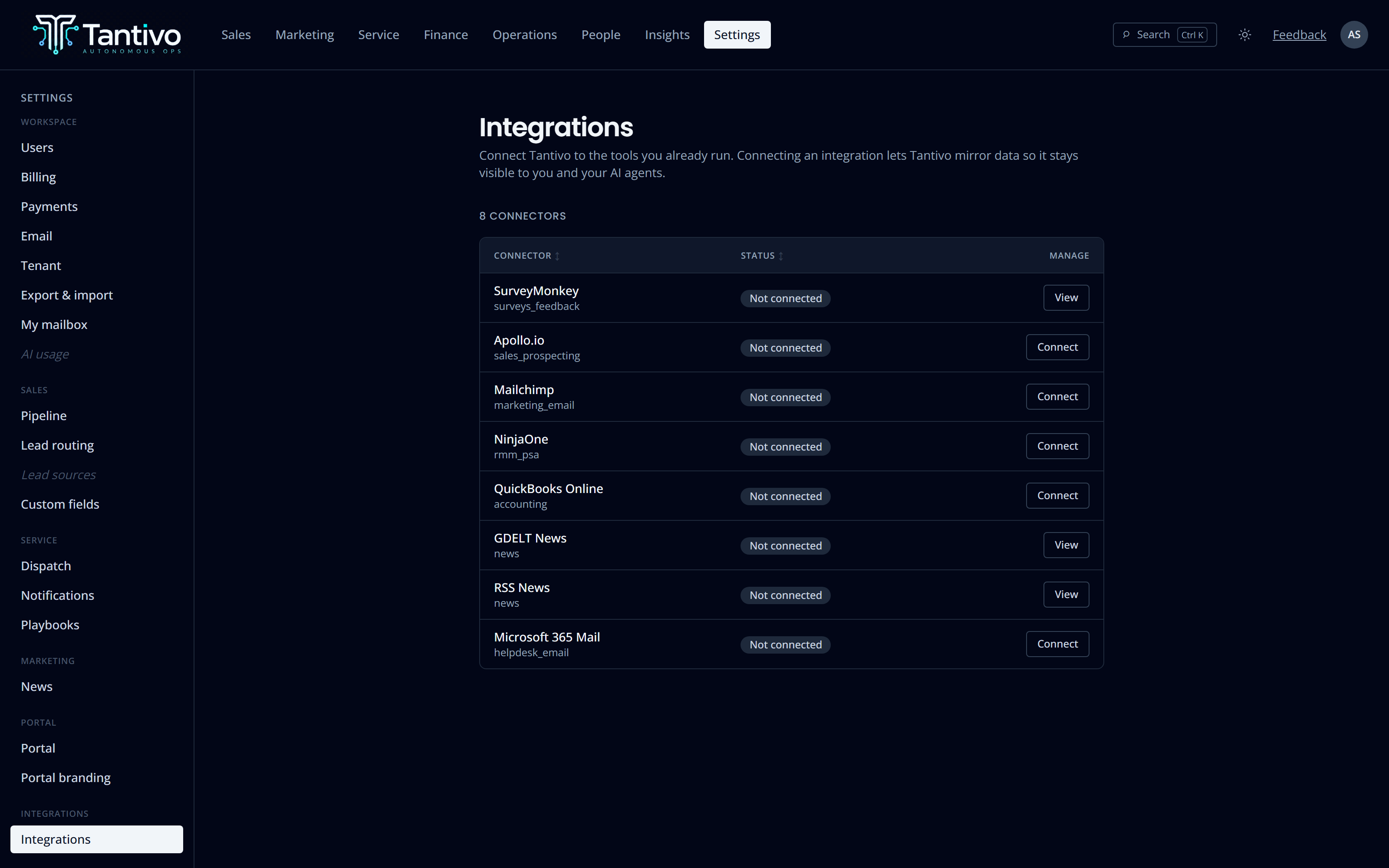
Email in, email out, nothing lost in a shared inbox.
Connect a Microsoft 365 shared mailbox and inbound mail becomes tickets. Replies thread onto the existing ticket instead of opening a duplicate, and your public replies go back out from the same mailbox, so the client sees one continuous conversation from an address they recognise.
Mail that cannot be matched to a client or a ticket lands in a triage queue rather than being silently dropped or silently filed against the wrong account. Someone decides. That decision is recorded.
- Threading by ticket reference, not fuzzy subject matching
- Attachments stored against the message, not inline in the body
- Unmatched mail queues for human triage
- SMS alerts to on-call staff for urgent events
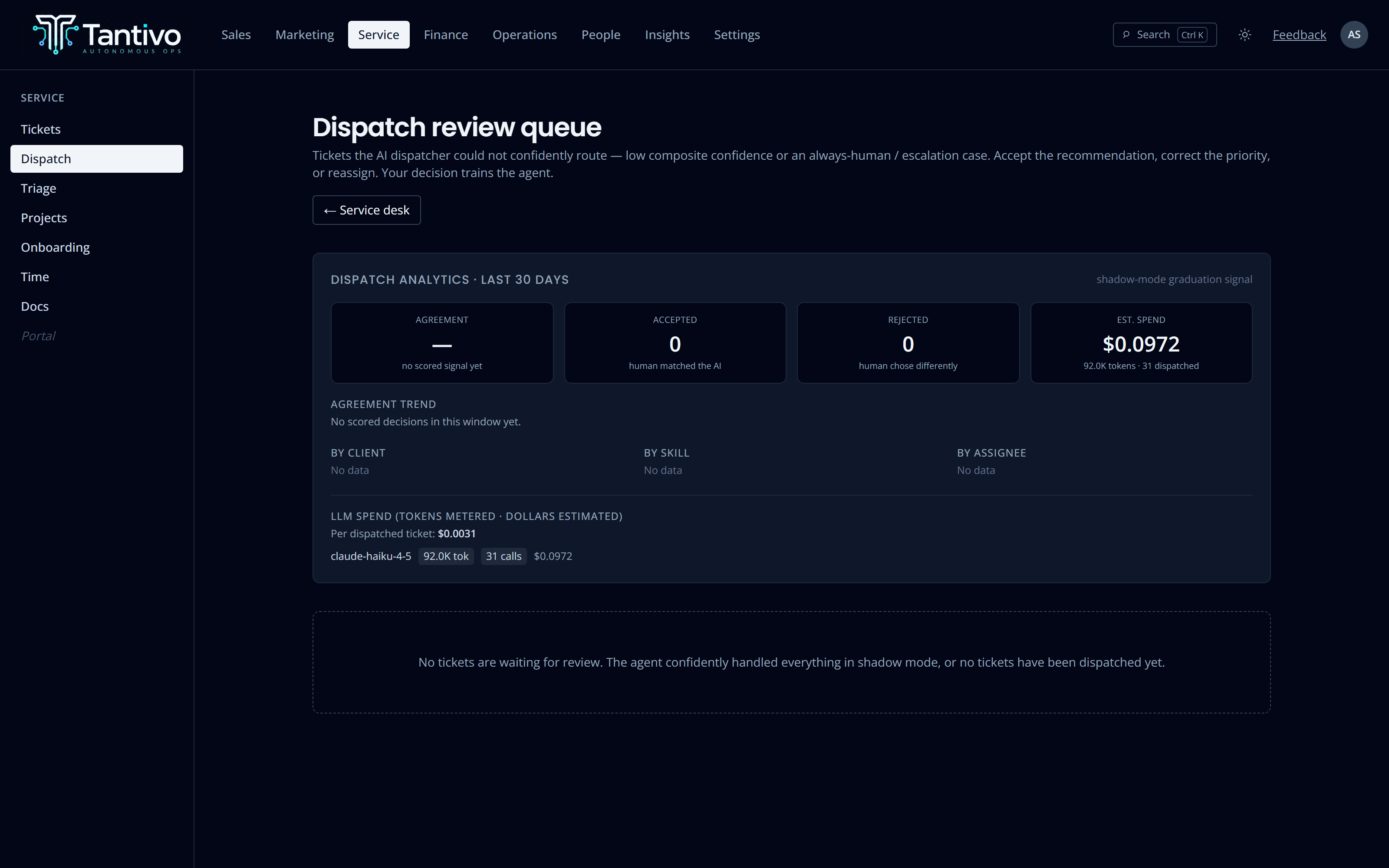
AI suggests the assignee. You decide.
New tickets can be triaged automatically: the dispatcher reads the ticket, weighs technician skills, current open load, on-call state and who already knows the account, then proposes an assignee and a priority.
The proposal lands in a review queue with its reasoning attached. Approving it is one click; overriding it is also one click, and the override is recorded so you can see later where the suggestions were wrong. Nothing is assigned without a person saying yes.
- Suggestions consider skills, load, on-call and account familiarity
- Every suggestion carries its reasoning
- Approve, override or ignore — all three are recorded
- Works fully manually when the AI is switched off
Everything that happened, still there tomorrow.
Every state change writes an event: created, triaged, assigned, reprioritised, commented, resolved, SLA breached, attached to a project. The log is append-only at the database level — the only path that can alter it is a redaction procedure that records who redacted what and why.
Comments are explicitly internal or public. Internal notes are invisible to the client portal by policy, not by a checkbox someone might forget. Time logged against the ticket sits on the same page as the work it paid for.
- Append-only event log per ticket
- Internal vs public comment visibility enforced in the database
- Time entries, linked assets and linked documents on the same page
- AI draft replies stay drafts until you keep them
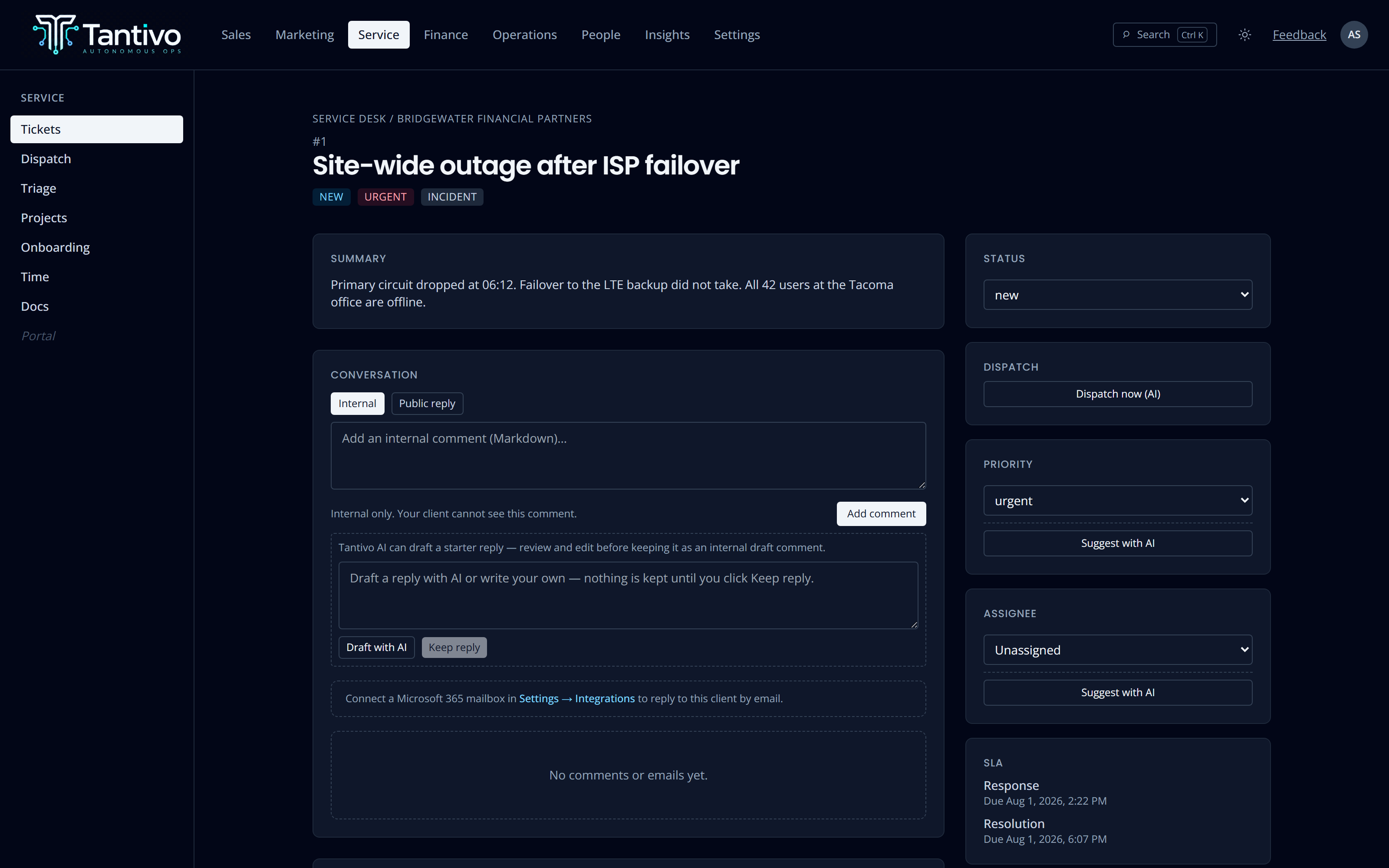
Request, incident, problem and change — a real discriminator, not a tag.
Tenant default, per service tier, per contract. Most specific wins, per priority.
Operator, Microsoft 365 mailbox, and the client portal — all on the same clocks.
A ticket can belong to a project phase, or simply be related to a project.
Questions
Can clients raise tickets themselves?
Yes, through the branded client portal, and those tickets are ordinary tickets — same queues, same SLA clocks, same board. The portal cannot see internal comments or any internal-only field.
What happens if we do not use the AI dispatcher?
Nothing breaks. Assignment is a normal operator action; the dispatcher just proposes a default. With AI disabled the review queue is simply empty.
Do SLA clocks pause outside business hours?
Targets are set in minutes from ticket creation today. Business-hours calendars are a known gap rather than a hidden behaviour — we would rather tell you that than let you discover it during a client review.
Keep exploring
- CRM & salesLeads, clients, contacts, pipeline and forecast.
- Contracts & billingContracts and tracked time straight through to invoices.
- Client portalA branded, strictly isolated portal for every client.
- AI throughoutRecommend-only assistance with full cost accounting.
- ReportingCross-module dashboards on one shared data model.
Ready to run your MSP at full gallop?
Bring acquisition, delivery and billing into one transparent, AI-native system. Join the waitlist for the private trial.
Prefer email? support@tantivo.ai