Useful, accountable, and never in charge.
Plenty of software has added a chat box and called it AI-native. Tantivo puts the model where the work is — the ticket, the proposal, the invoice — and then does the unglamorous part: recording what it cost, what it suggested, and who decided.
- Recommend-only, always
- Exact token accounting
- One switch turns it all off
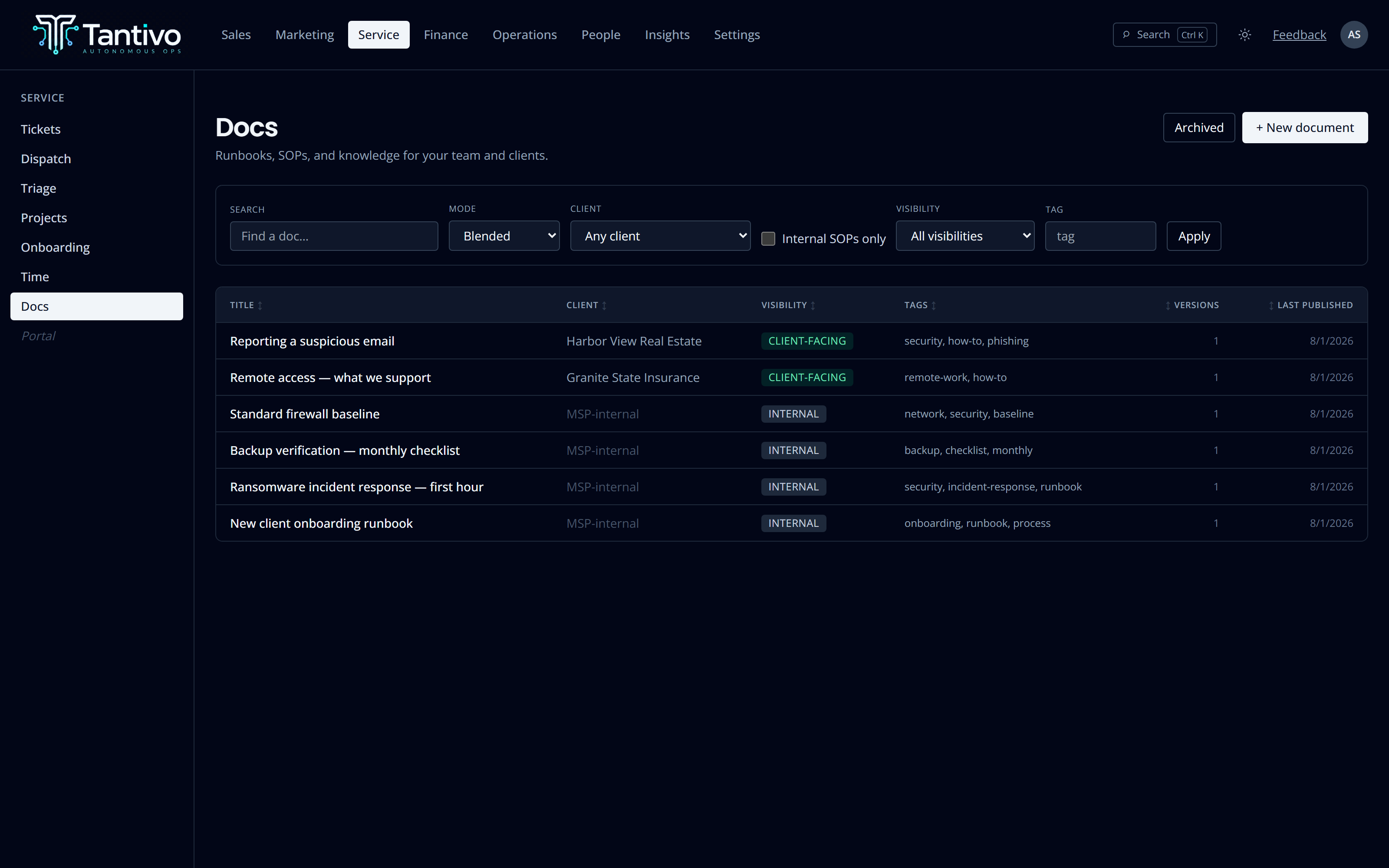
Triage that reads the ticket and knows your team.
When a ticket arrives, the dispatcher can read it and propose a priority and an assignee. It weighs technician skills, who is currently on call, how much open work each person already has, and who has worked this account before.
The proposal goes to a review queue with its reasoning attached. You approve or you override, and either way the decision is recorded — which means in three months you can look back and judge whether the suggestions were actually any good.
- Considers skills, open load, on-call state and account familiarity
- Lands in a review queue, never applied silently
- Overrides recorded so accuracy is measurable
- Assignee is re-validated at apply time, not at suggest time
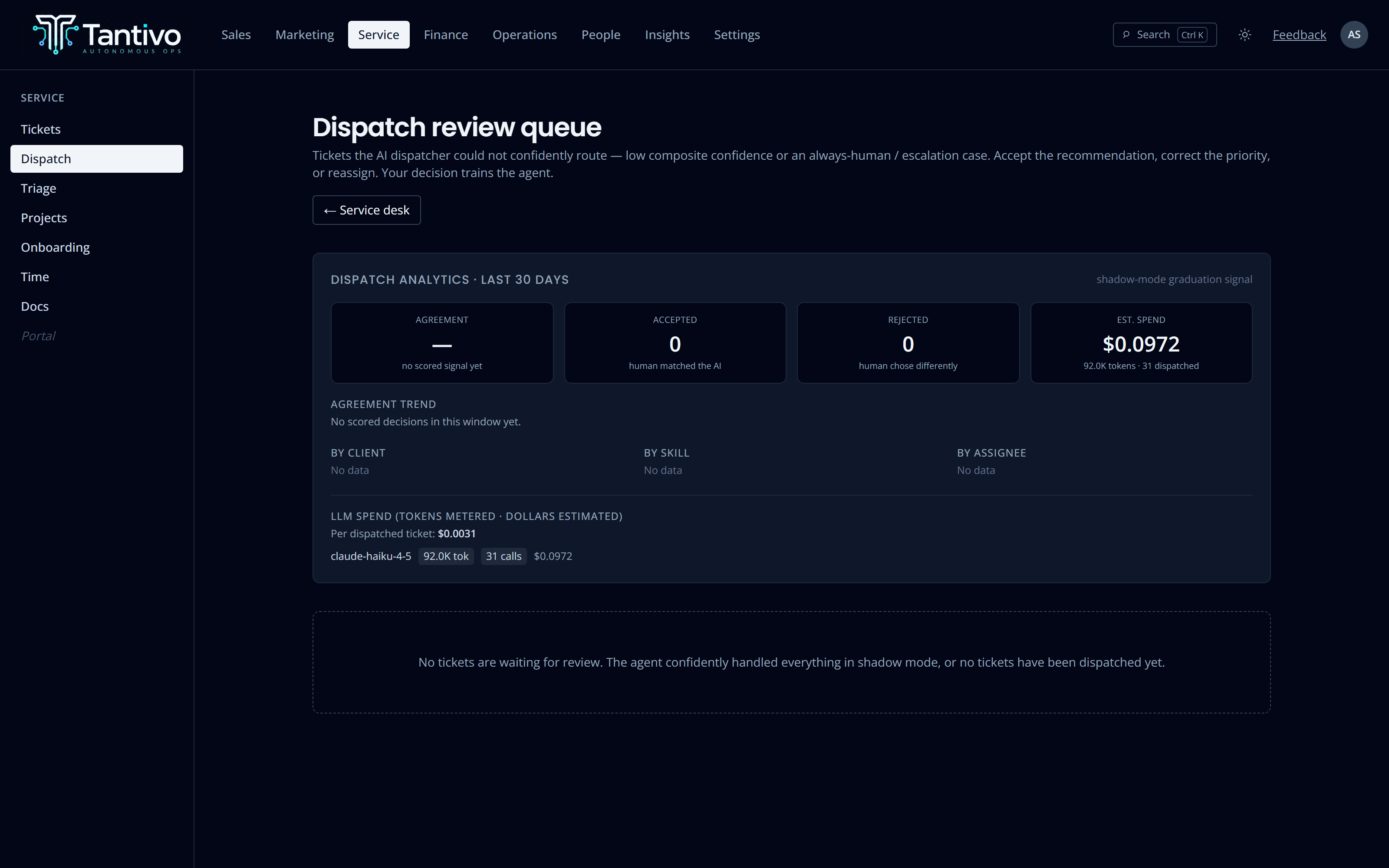
A starting point, not a sent message.
Draft a ticket reply, a proposal narrative, an invoice line note, a client summary, or the weekly newsletter. The output appears in an editable field next to a Keep button. Until you press it, nothing is stored and nothing has left the building.
Case-study generation goes further: it is grounded in your own tickets and time entries, every source record is written down as provenance, and a verifier pass flags claims it could not tie back to a record. A person still approves before anything is published, and the client’s naming consent is checked separately.
- Drafts are editable and discardable — nothing auto-sends
- Case studies record every source record they were built from
- A verifier flags claims not grounded in your data
- Publicity consent is a separate, explicit gate
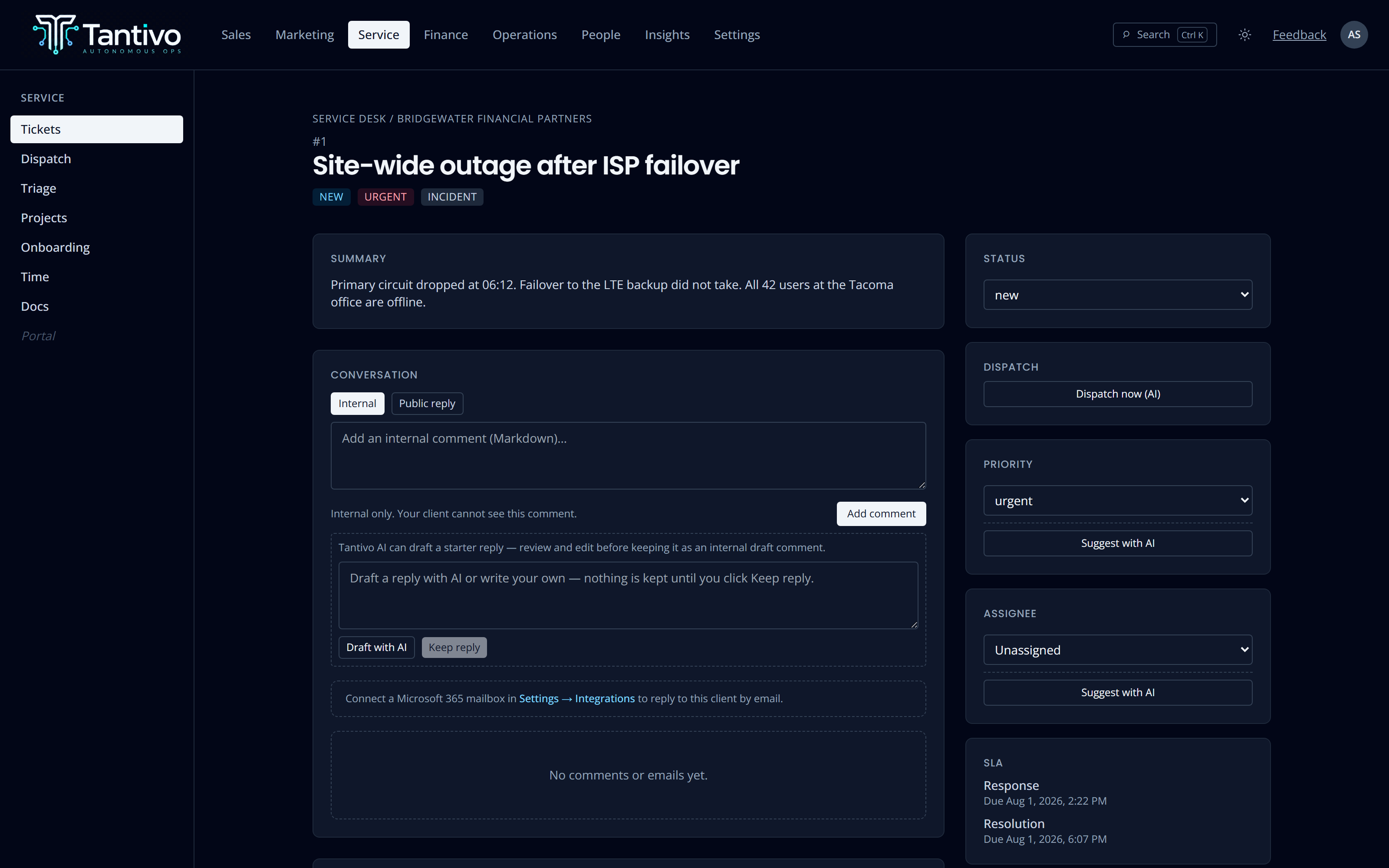
What the AI cost you, to the token.
Every model-invoking action records five token counts — input, output, cache-creation, cache-read and reasoning — plus the model and the provider that actually served it. Not an estimate of usage: the metered numbers.
Dollars are derived from a dated rate table, so they are labelled as estimates rather than presented as fact. Tokens and money are stored separately on purpose — when a vendor changes prices, your history does not silently re-price itself.
- Five token columns captured on every model call
- Spend broken down by model and by tool
- Dollars derived from a dated rate table, marked as estimated
- Tokens stored separately from money, never conflated
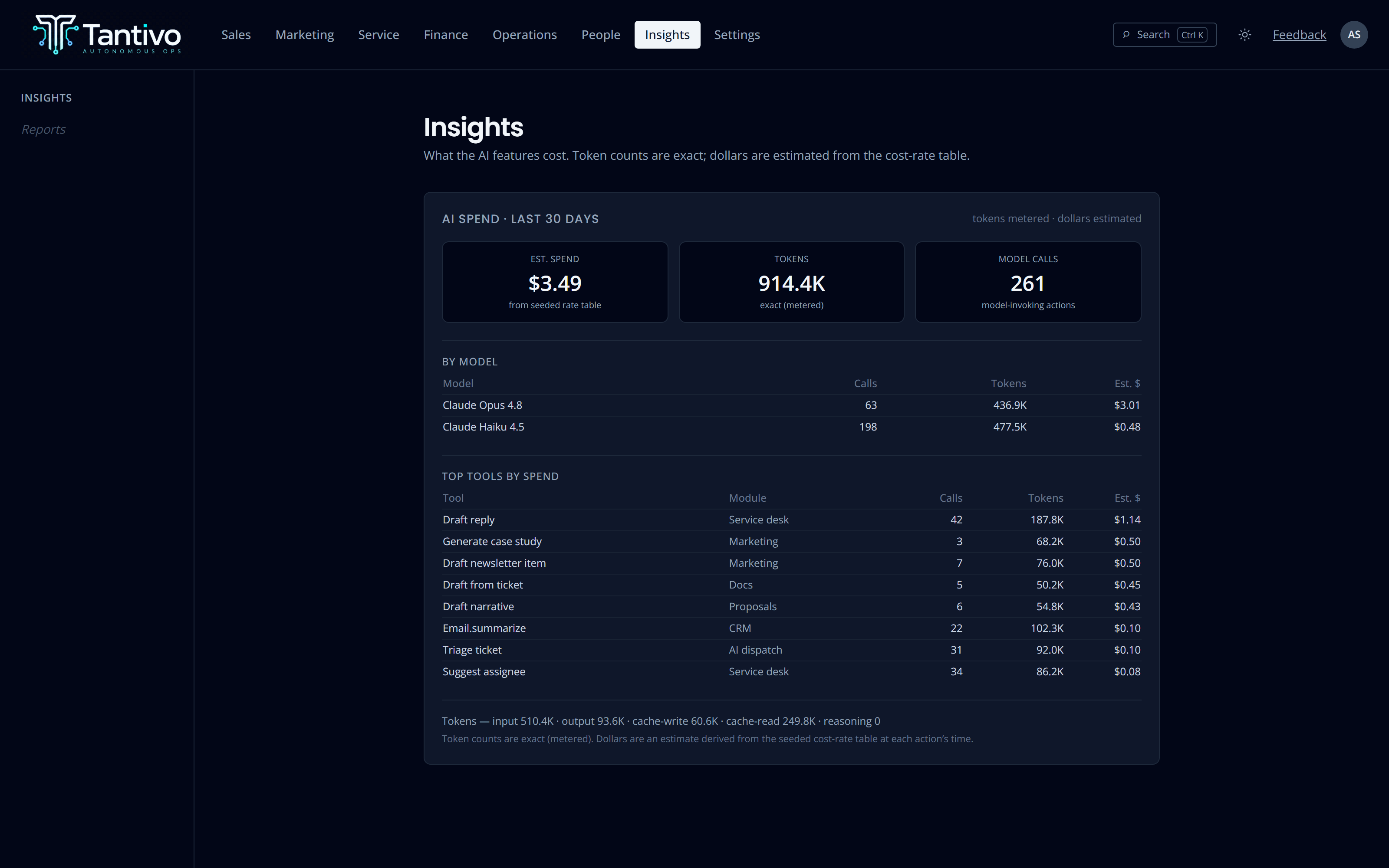
Semantic search over your own runbooks.
Published documents are embedded so search finds the right runbook even when the wording does not match — “printer keeps dropping off” finds the spooler procedure. Keyword and semantic results blend rather than competing.
There is deliberately no fallback embedding model. Vectors from two different models are not comparable, and a silent downgrade would poison the index with results that look fine and rank as noise. A misconfiguration fails loudly instead.
- Embeddings generated inside the publish transaction
- Blended keyword and semantic ranking
- No fallback model — a misconfiguration fails loudly
- A background sweep repairs anything that missed
Anthropic Claude, called through a single audited gateway — never scattered SDK calls.
No AI action sends, assigns, publishes or charges without a person approving.
One environment flag disables every model call. Each feature falls back to its manual path.
Content is sent to the model to answer your prompt. It is not used to train anyone’s model.
Why recommend-only, and not more
An MSP is accountable to its clients for what it does in their environment. If an agent sends a reply, changes a priority or issues a credit on its own, that accountability gets blurry precisely when it matters — during an incident, or in front of an auditor.
So the rule is structural rather than a setting: every AI action in Tantivo produces a recommendation, and a person converts it into a decision. That constraint is what lets us wire AI into the middle of the workflow instead of quarantining it in a sidebar.
Questions
Is our client data used to train a model?
No. Prompts are sent to Anthropic to answer that specific request under their commercial terms, which do not train on business-tier API content. Nothing is contributed to a shared model.
Can we turn the AI off completely?
Yes, with one switch. Every feature degrades to its manual path — you write your own replies, you assign your own tickets. The product does not stop working, it just stops suggesting.
How do we know what it is costing us?
The Insights screen reports exact metered token counts and an estimated dollar figure, broken down by model and by tool, for a rolling window. It is the same accounting used for every action, not a separate meter.
What if the AI suggests something wrong?
You override it, and the override is recorded alongside the original suggestion and its reasoning. That trail is how you find out whether a particular assist is worth keeping switched on.
Keep exploring
- Service deskTickets, queues, SLA clocks and AI-assisted dispatch.
- CRM & salesLeads, clients, contacts, pipeline and forecast.
- Contracts & billingContracts and tracked time straight through to invoices.
- Client portalA branded, strictly isolated portal for every client.
- ReportingCross-module dashboards on one shared data model.
Ready to run your MSP at full gallop?
Bring acquisition, delivery and billing into one transparent, AI-native system. Join the waitlist for the private trial.
Prefer email? support@tantivo.ai