From the work you did to the money you collected.
Billing is where most MSP stacks leak. Time lives in one tool, contracts in a folder, invoices in the accounting package, and the gap between them is somebody’s Sunday evening. Tantivo runs the whole chain on one set of records.
- Recurring, tiered, capped and T&M
- Time straight through to invoice
- Stripe pay links · QuickBooks export
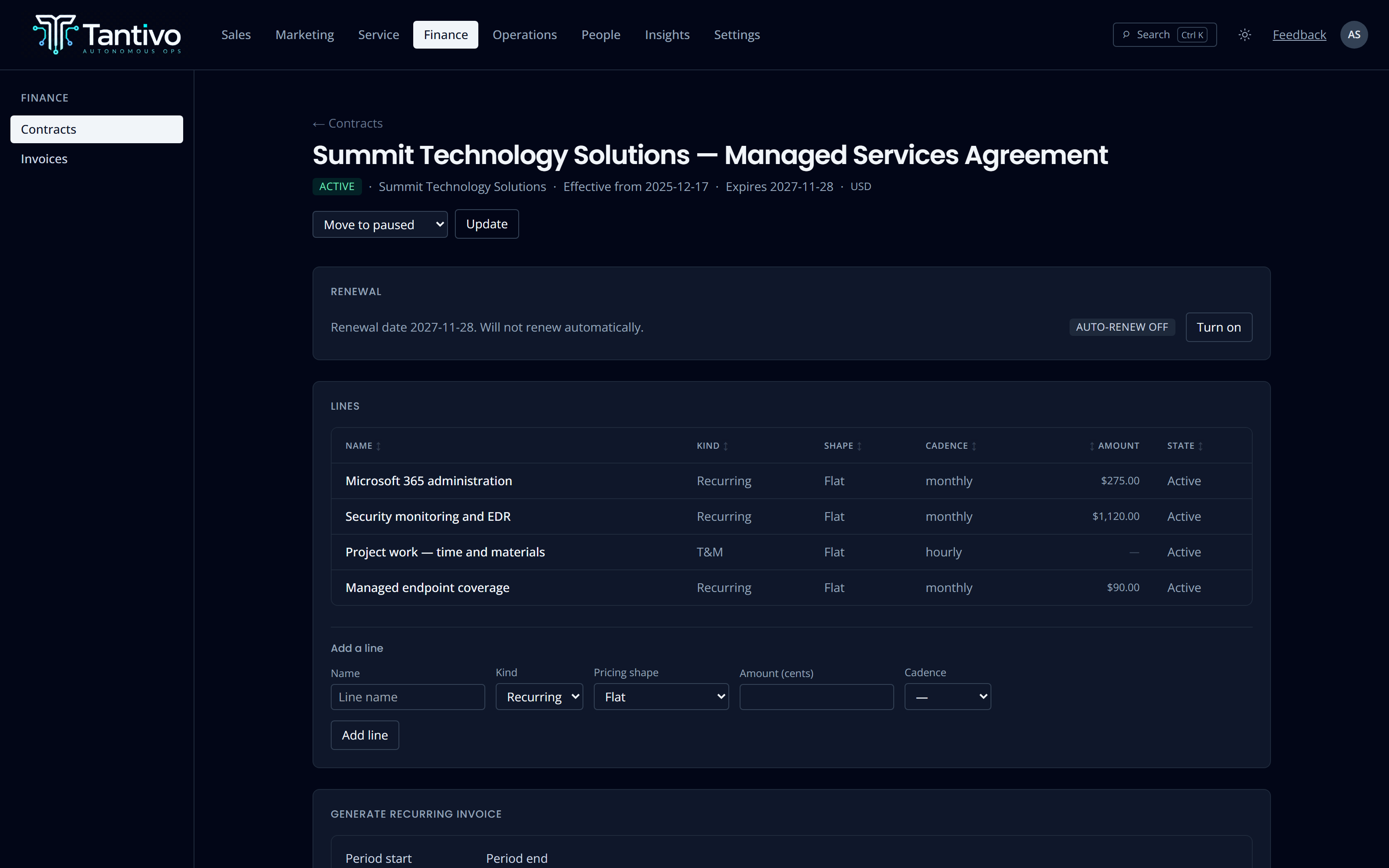
The agreement, modelled line by line.
A contract holds the client, the effective window and its lines. Each line is a billable element with its own kind — recurring service, one-off, or a time-and-materials rate card — and its own cadence.
Pricing goes beyond a flat number. A line can be tiered on volume, capped with an included quantity and an overage rate, or a blended T&M card with different rates in different windows. The pricing detail is fixed to the line when it is created, so re-reading an old invoice never re-prices it under today’s rules.
- Line kinds: recurring service, one-time, T&M rate card
- Flat, tiered, capped-with-overage and blended pricing shapes
- Contract lines are append-only — archive rather than edit
- Terms changes flow through a new proposal and acceptance
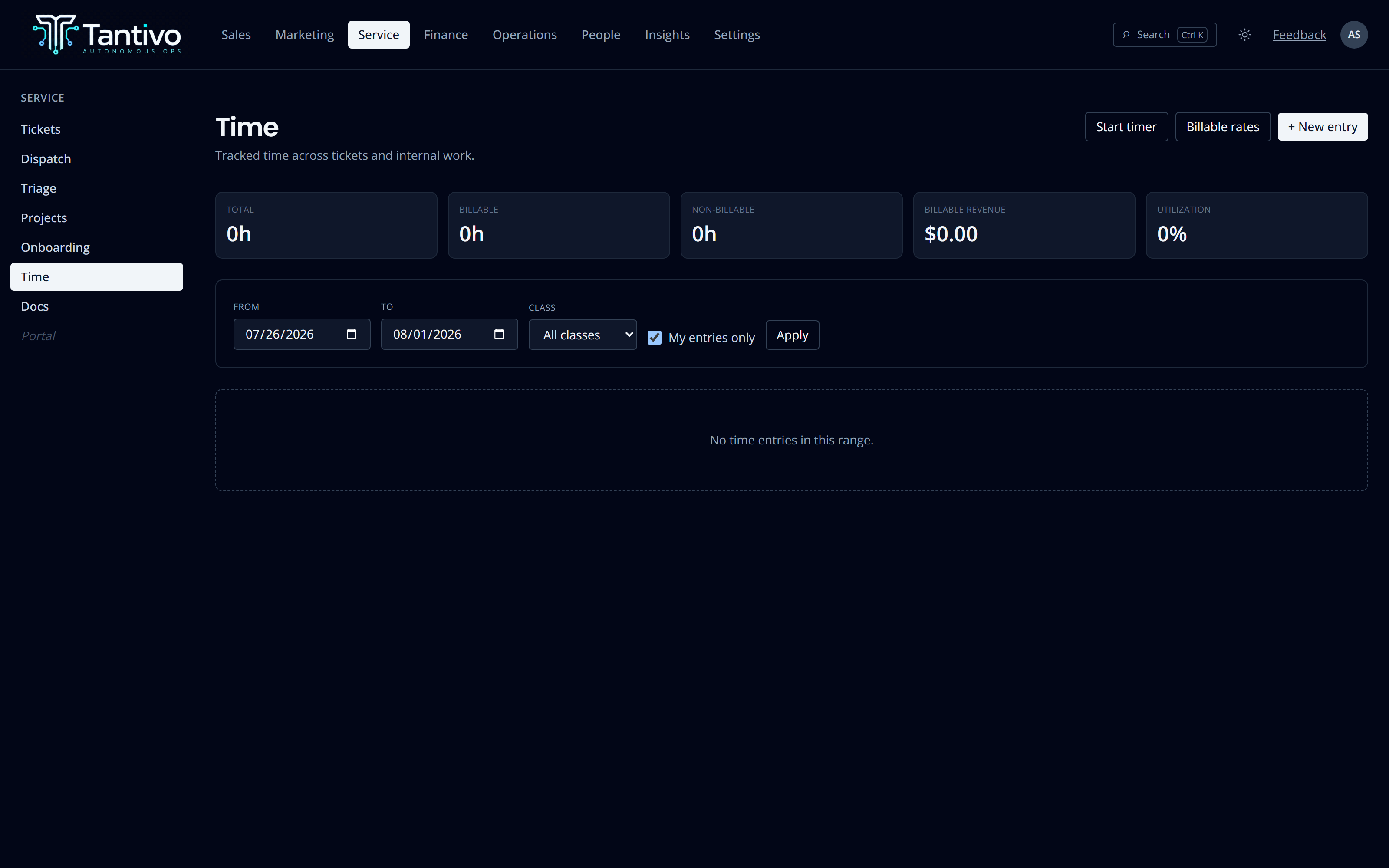
Track it once, where the work happened.
Start a timer on a ticket, or enter time after the fact. Every entry is billable, non-billable or internal, attached to the ticket it belongs to or to an internal category. One open timer per person, so the state is never ambiguous.
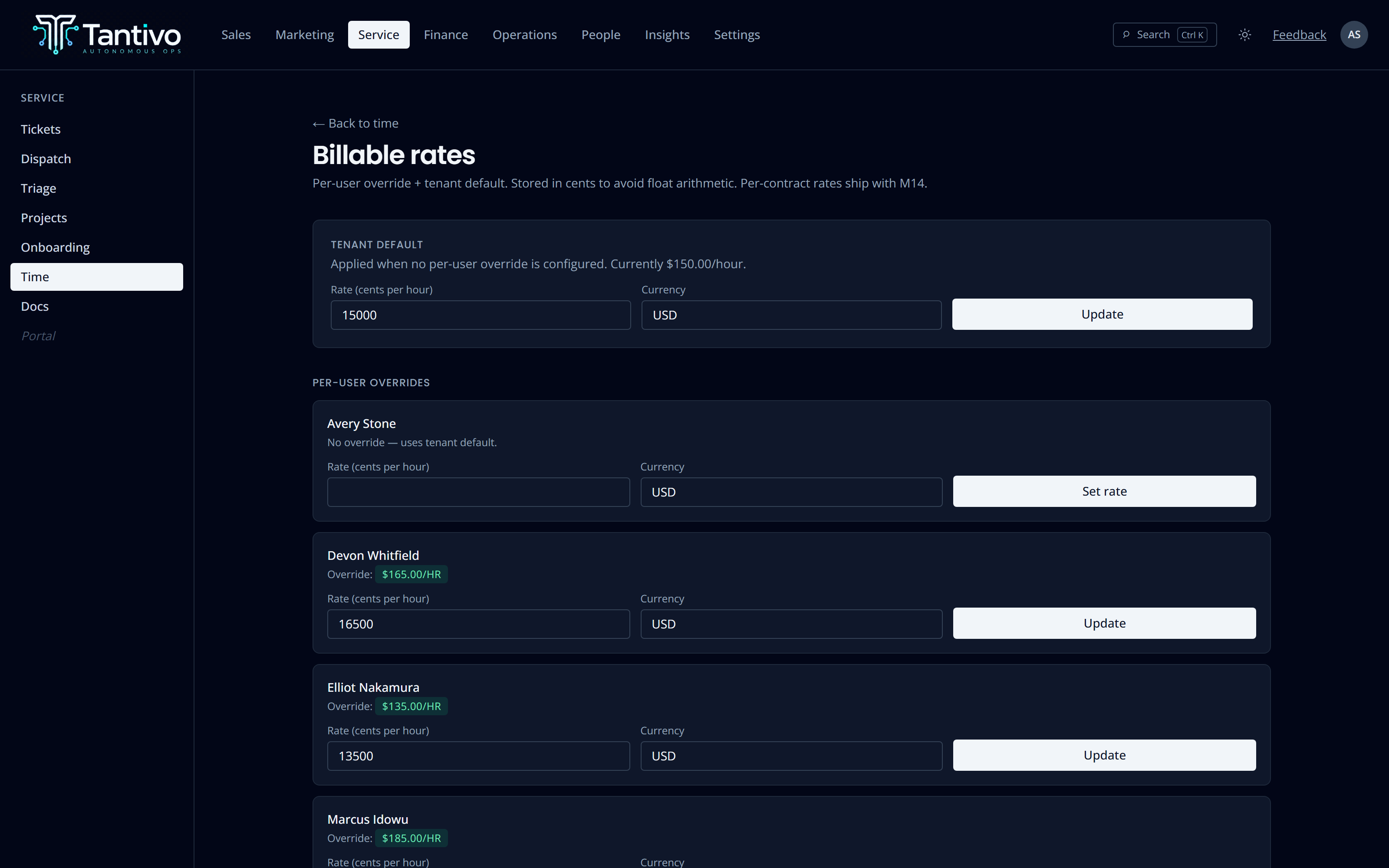
The rate is snapshotted onto the entry at the moment it is created — per user if you set one, otherwise your tenant default. Change your rates next quarter and last quarter’s history stays exactly as it was billed.
- Live timers or manual entries, same record either way
- Per-user rate cards with a tenant default fallback
- Rate snapshotted at entry — history never re-prices
- Edits recorded in an append-only change log
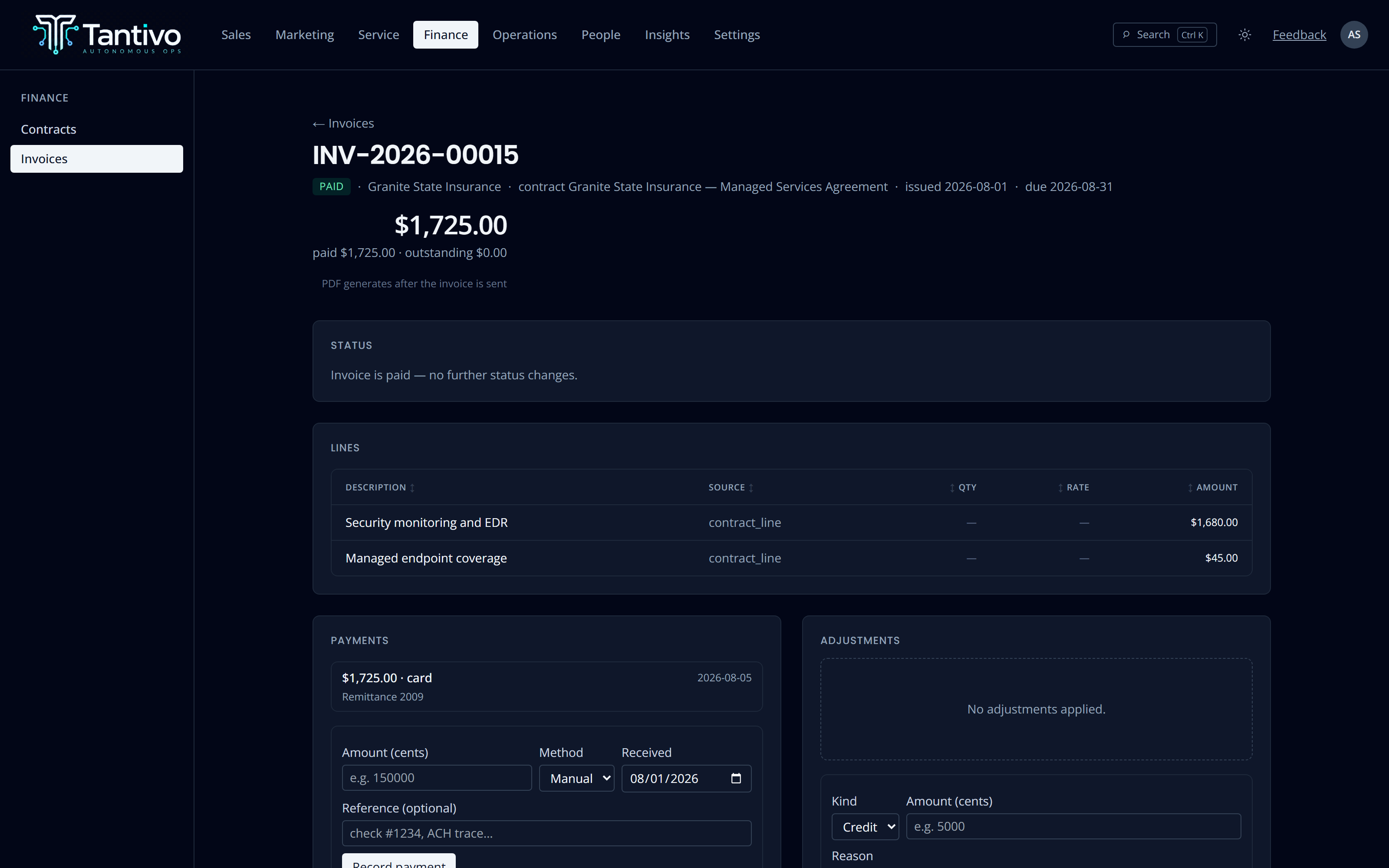
Recurring lines and tracked hours, on the same invoice.
Generate a recurring invoice from a contract, or a T&M invoice from unbilled time, or both onto one document. Every line records where it came from — a contract line, a specific time entry, or a genuine one-off — so an invoice query is answerable in seconds rather than being an archaeology project.
Invoice lines are append-only and non-negative. Changing a billed amount means voiding and reissuing, or issuing a credit note. That is deliberate: the number the client received should stay the number the client received.
- Draft → sent → paid, with overdue derived from the due date
- Line source recorded: contract line, time entry, or one-off
- Credits and debits via adjustments, never by editing a line
- PDF generation and email from your own verified sending domain
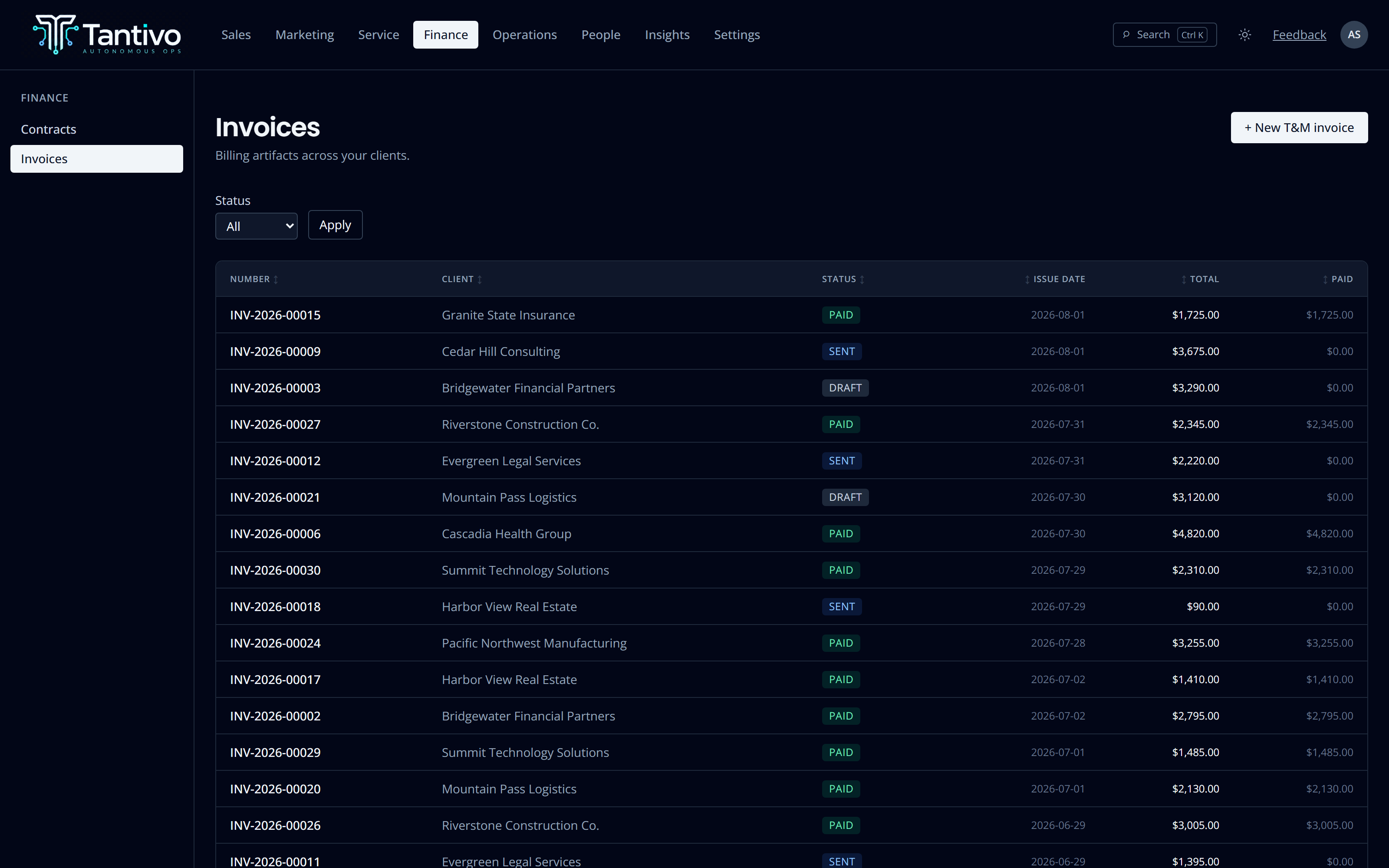
Card and ACH, or just write down the cheque.
Connect Stripe and an invoice can carry a hosted pay link — card or ACH, straight into your own Stripe account, reconciled back onto the invoice ledger automatically. Take tax handling on if you want it.
Or record payments by hand. A wire, a cheque, a bank transfer someone mentioned on the phone: enter it with a method and a reference. When payments meet the total the invoice flips to paid on its own.
- Stripe Connect — money lands in your account, not ours
- Manual payment entry for ACH, cheque, wire and card
- Payments are append-only ledger rows
- QuickBooks Online export for customers and invoices
Rate cards you can actually explain.
Set a tenant-wide default hourly rate and override it per person. The resolver is boringly predictable: the person’s rate if there is one, otherwise the default. No hidden precedence, no surprise when the invoice comes out.
Utilisation and billable-hours reporting read the same entries and the same snapshotted rates, so what the dashboard tells you and what you invoiced are the same arithmetic.
- Tenant default plus per-user overrides
- Currency held per rate, ISO 4217
- Utilisation and revenue reporting from the same rows
- Unbilled-time visibility before the billing run
Every amount is stored in cents. No floating-point rounding drift on a statement.
Invoice lines, payments and adjustments are added, never rewritten.
Payments settle to you via Stripe Connect. Tantivo is not in the money path.
Operator-driven QuickBooks Online export — nothing syncs behind your back.
Questions
Does Tantivo replace QuickBooks or Xero?
No, and it should not. Tantivo owns the operational side — contracts, time, what was billed and what was collected — and exports to QuickBooks Online for the accounting side. Your accountant keeps their ledger.
Can we bill some clients on contract and others hourly?
Yes, and the same client can be both. Recurring contract lines and time-and-materials lines can appear on one invoice, each carrying its own source.
What happens if we invoice the wrong amount?
You void and reissue, or apply a credit adjustment. Editing a sent invoice’s line in place is deliberately not possible — an invoice a client has already received is a record, not a draft.
Do you take a percentage of payments?
No. Payments run through your own Stripe account under Stripe’s pricing. Tantivo never touches the funds.
Keep exploring
- Service deskTickets, queues, SLA clocks and AI-assisted dispatch.
- CRM & salesLeads, clients, contacts, pipeline and forecast.
- Client portalA branded, strictly isolated portal for every client.
- AI throughoutRecommend-only assistance with full cost accounting.
- ReportingCross-module dashboards on one shared data model.
Ready to run your MSP at full gallop?
Bring acquisition, delivery and billing into one transparent, AI-native system. Join the waitlist for the private trial.
Prefer email? support@tantivo.ai